Walkthrough
Example 01 — Locked Candidates: Pointing
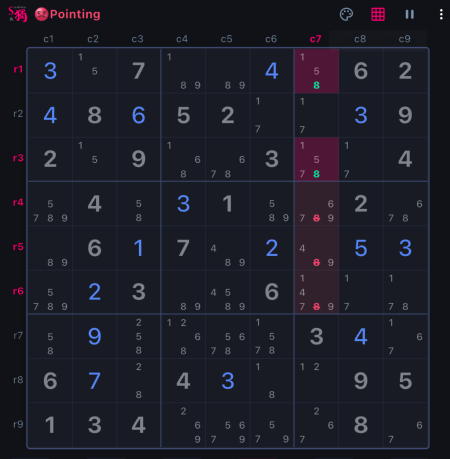
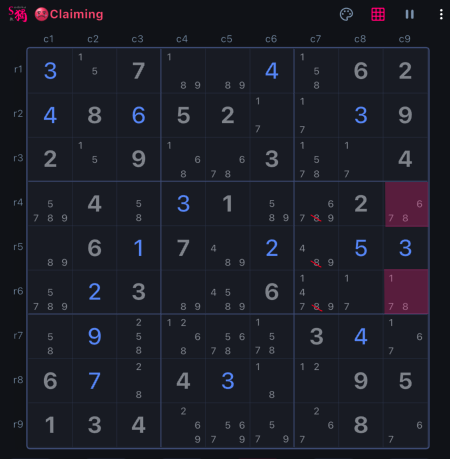
In this example, box 3 has number 8 locked to cell r1c7 and r3c7, so in its intersecting house, which is column 7 in this case, the rest cells cannot have number 8. This removes number 8 from cell r4c7, r5c7 and r6c7.
What to notice: Pick a number, then scan boxes to find out if the number is locked to a particular row or column.